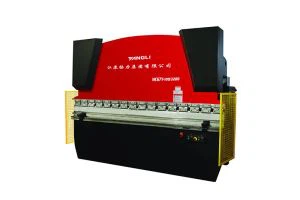
As a supplier of Straight Side Power Presses, I am delighted to share with you the detailed operating procedures for these powerful machines. Straight Side Power Presses are widely used in various industries for metal forming and stamping operations due to their high precision, stability, and efficiency. Understanding the correct operating procedures is crucial for ensuring the safety of operators and the quality of the products produced.


Pre - operation Checks
Before starting the Straight Side Power Press, a series of pre - operation checks must be carried out to ensure its proper functioning.
Machine Inspection
- Visual Inspection: Carefully examine the entire press machine for any visible signs of damage, such as cracks, loose parts, or leaks. Check the frame, columns, and slide for any deformities. This step helps in identifying potential safety hazards and mechanical issues that could affect the performance of the press.
- Lubrication Check: Ensure that all lubrication points are properly lubricated. The slide, crankshaft, gears, and other moving parts require adequate lubrication to reduce friction and wear. Refer to the machine's manual for the specific lubrication points and the type of lubricant to use. Insufficient lubrication can lead to overheating, premature wear, and even machine failure.
Electrical and Control System Checks
- Power Supply: Check the power supply to the press. Make sure the voltage and frequency are within the specified range of the machine. Any deviation from the recommended power parameters can cause electrical problems and damage to the control system.
- Control Panel: Inspect the control panel for any error messages or malfunction indicators. Test all the control buttons, switches, and emergency stop buttons to ensure they are functioning correctly. The control system is the brain of the press, and any issues with it can lead to improper operation and safety risks.
Tooling Inspection
- Die Installation: If a die is to be used, ensure that it is properly installed and aligned. The die should be securely fastened to the press table and the slide. Incorrect die installation can result in uneven pressing, damaged tools, and poor - quality products.
- Die Clearance: Check the die clearance to ensure it is appropriate for the material and thickness being processed. The die clearance affects the cutting and forming quality of the part, as well as the lifespan of the die.
Starting the Press
Once all the pre - operation checks are completed, you can start the Straight Side Power Press.
Initial Startup
- Power On: Turn on the main power switch of the press. The control panel should display the normal startup information. Wait for the machine to initialize and perform its self - check.
- Warm - up: It is recommended to let the press warm up for a few minutes before starting actual production. This allows the moving parts to reach their optimal operating temperature and reduces the risk of thermal stress during operation.
Operating Mode Selection
- Manual Mode: In manual mode, the press can be operated step - by - step. This is useful for setting up the die, adjusting the stroke, and performing initial tests. Operators can control the movement of the slide using the control buttons on the panel.
- Single Stroke Mode: In single stroke mode, the press performs one complete stroke each time the operation button is pressed. This mode is commonly used for short - run production or for testing the die and the process.
- Continuous Mode: Continuous mode allows the press to perform a series of strokes continuously. This is suitable for high - volume production. However, operators must ensure that the feeding system and the safety devices are working properly before using continuous mode.
During Operation
During the operation of the Straight Side Power Press, several important factors need to be monitored and controlled.
Material Feeding
- Proper Alignment: Ensure that the material is fed into the press in the correct alignment. Misaligned material can cause uneven pressing, damage to the die, and poor - quality products.
- Feeding Speed: Control the feeding speed of the material according to the specifications of the press and the die. Too fast a feeding speed can overload the press and cause mechanical problems, while too slow a speed can reduce productivity.
Monitoring the Press
- Noise and Vibration: Listen for any abnormal noise or vibration during the operation of the press. Unusual noise or vibration could indicate a mechanical problem, such as a loose part or a worn - out bearing.
- Temperature: Monitor the temperature of the press, especially the motor, gears, and other critical components. Overheating can lead to component failure and safety hazards.
Safety Precautions
- Use of Safety Devices: Ensure that all safety devices, such as light curtains, safety guards, and emergency stop buttons, are in place and functioning properly. These devices are designed to protect operators from potential hazards during the operation of the press.
- Operator Training: Operators should be properly trained on the safe operation of the Straight Side Power Press. They should be aware of the potential risks and the correct procedures to follow in case of an emergency.
Stopping the Press
When the production is completed or an emergency occurs, the Straight Side Power Press should be stopped properly.
Normal Shutdown
- Stop the Press: In normal operation, press the stop button on the control panel to stop the press. Wait for the slide to come to a complete stop.
- Power Off: After the press has stopped, turn off the main power switch to cut off the power supply.
Emergency Shutdown
- Press the Emergency Stop Button: In case of an emergency, such as a malfunction or a safety hazard, immediately press the emergency stop button. This will stop the press and cut off the power supply to prevent further damage or injury.
Examples of Our Straight Side Power Presses
We offer a wide range of Straight Side Power Presses to meet the diverse needs of our customers. For example, the JD 36 Series Straight Side Double Point Press is known for its high precision and stability, making it suitable for medium - to high - volume production. The TL4 Series Four Point Transfer Press with Link Motion is designed for complex transfer stamping operations, providing excellent performance and efficiency. And the JD 39 Series Straight Side Four Point Press offers high - tonnage capacity and advanced control systems, ideal for heavy - duty stamping applications.
If you are in the market for a Straight Side Power Press, we invite you to contact us to discuss your specific requirements. Our experienced team can provide you with detailed product information, technical support, and customized solutions. We are committed to providing high - quality products and excellent customer service to help you achieve your production goals.
References
- Machinery's Handbook, 30th Edition
- Standards and Guidelines for the Safe Operation of Power Presses by industry safety organizations.